
Gennissi CRM: WhatsApp CRM for Small Businesses
Your customers already talk to you on WhatsApp. Gennissi CRM turns those chats into a shared team inbox, connected to every client, quotation, invoice and payment, so nothing gets lost and you get paid on time.
Try a live demo
Pick your business type. You get your own CRM with sample clients and data in a minute, free for 7 days.
IT & service business
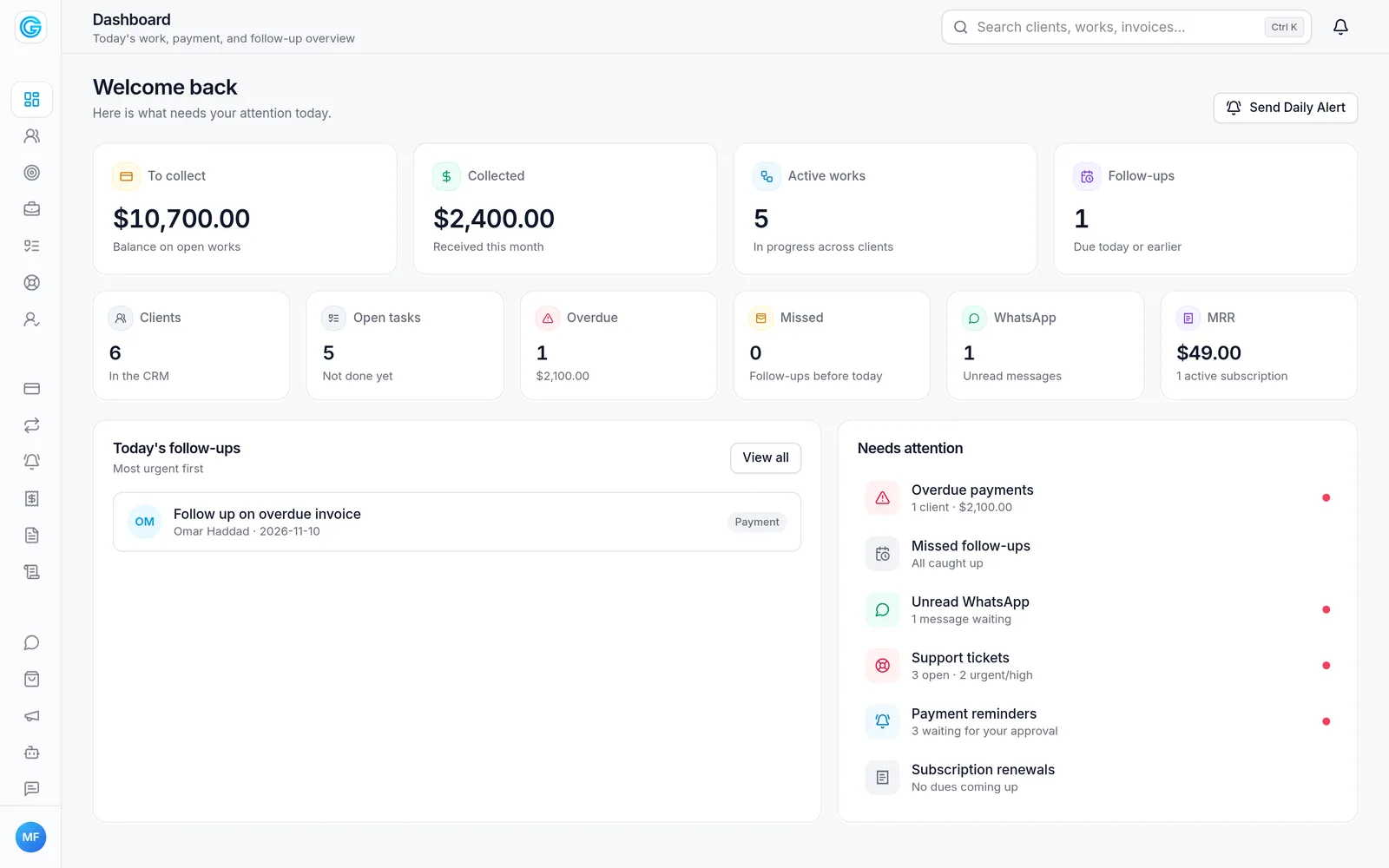
Clients, works and payment plans, quotations, invoices, support tickets and the WhatsApp inbox.
Open demoShop & hardware store
Products and stock, counter bills, customer credit and supplier bills, with WhatsApp.
Open demoTextile business
Buyer orders and production stages, job work and stock, plus shop billing.
Open demoAgriculture
Farmers and field visits, produce buying and farm inputs on season credit.
Open demoWhat's included
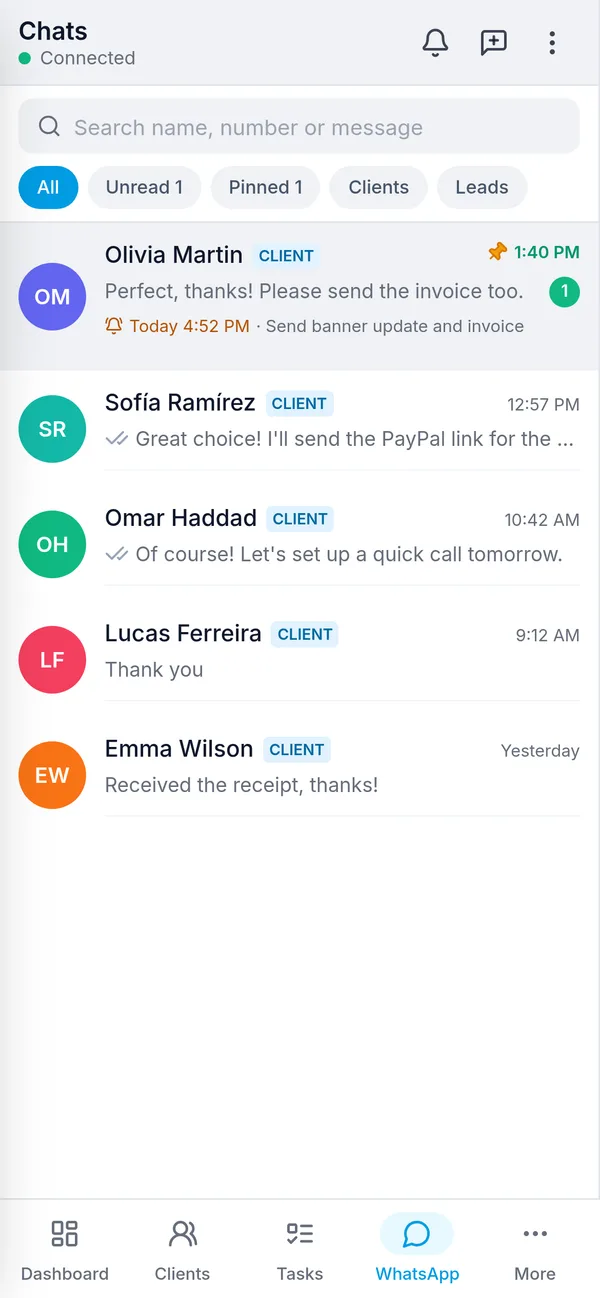
Shared WhatsApp inbox
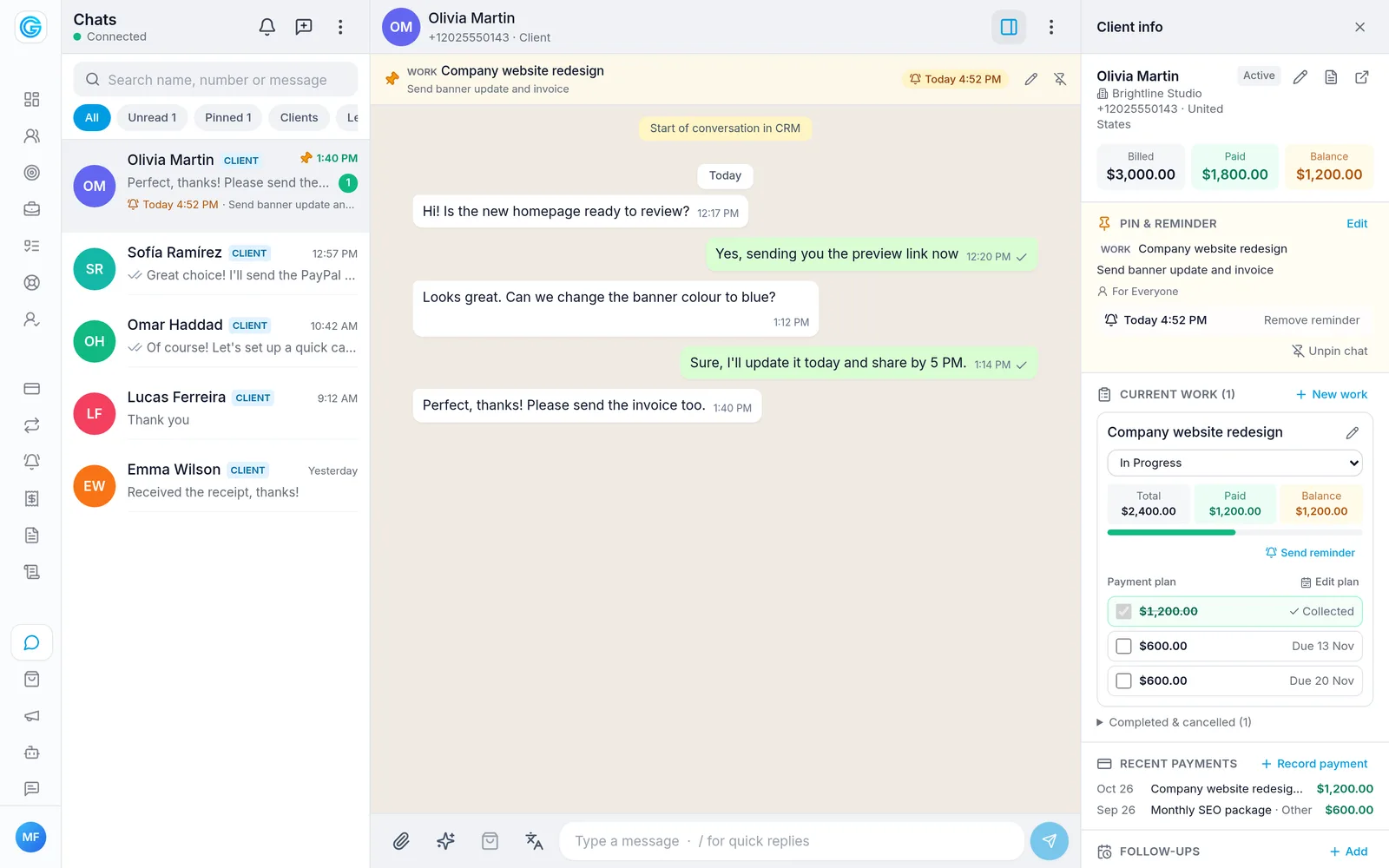
Every chat in one place for the whole team, with quick replies, auto replies, voice notes and automatic translation of chats.
Clients, leads and follow-ups
New WhatsApp numbers become leads; follow them through to clients, with follow-up reminders so no one is forgotten.
Quotations and invoices
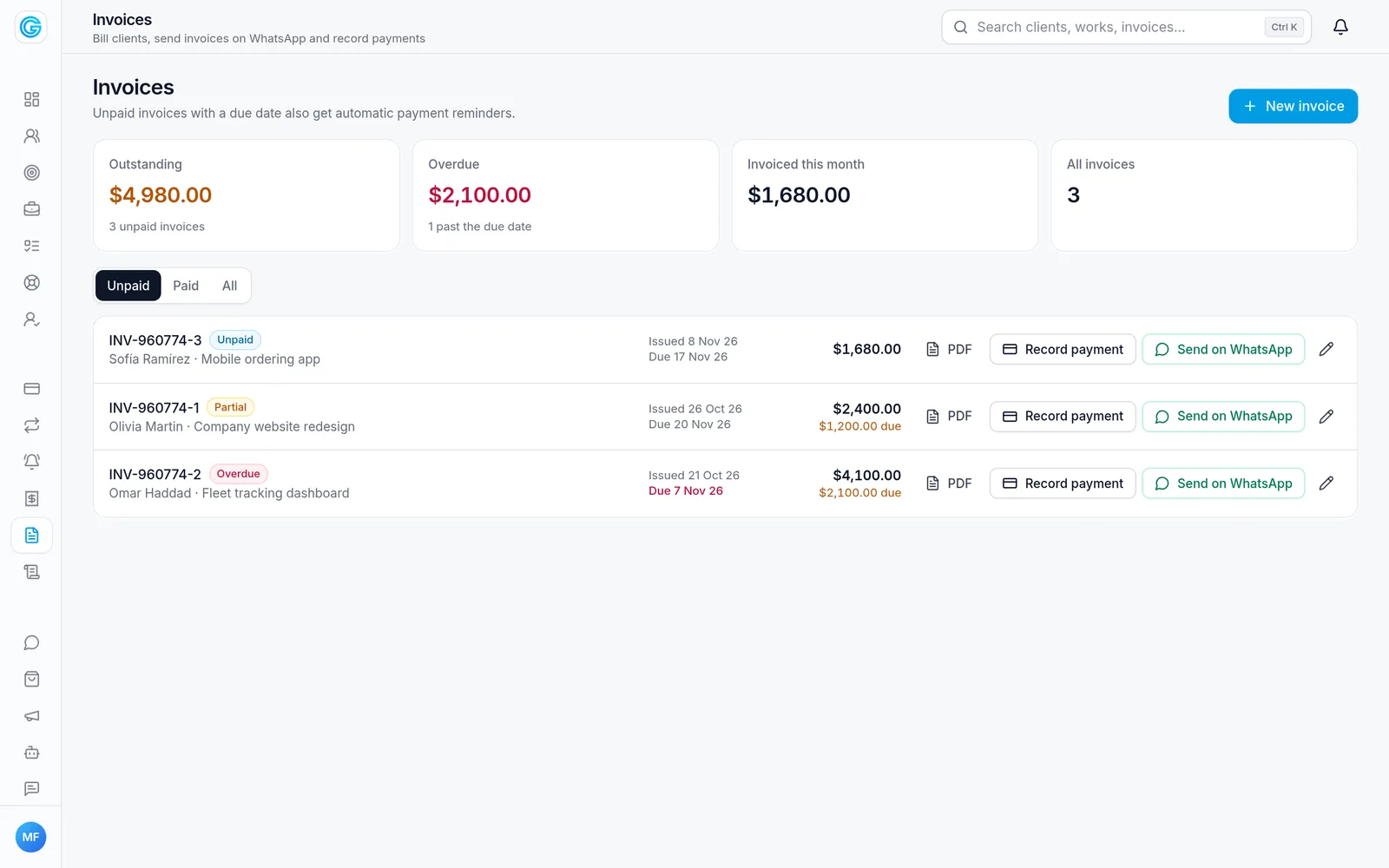
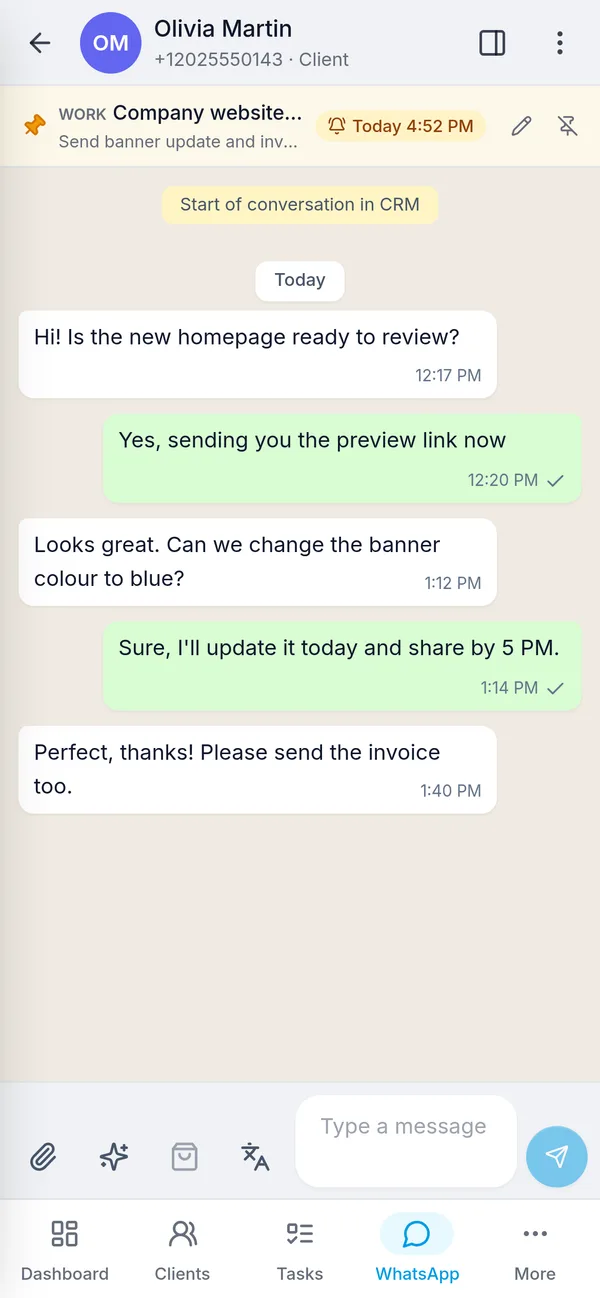
Make quotations and invoices and send them as PDF on WhatsApp in one click.
Payments and PayPal links
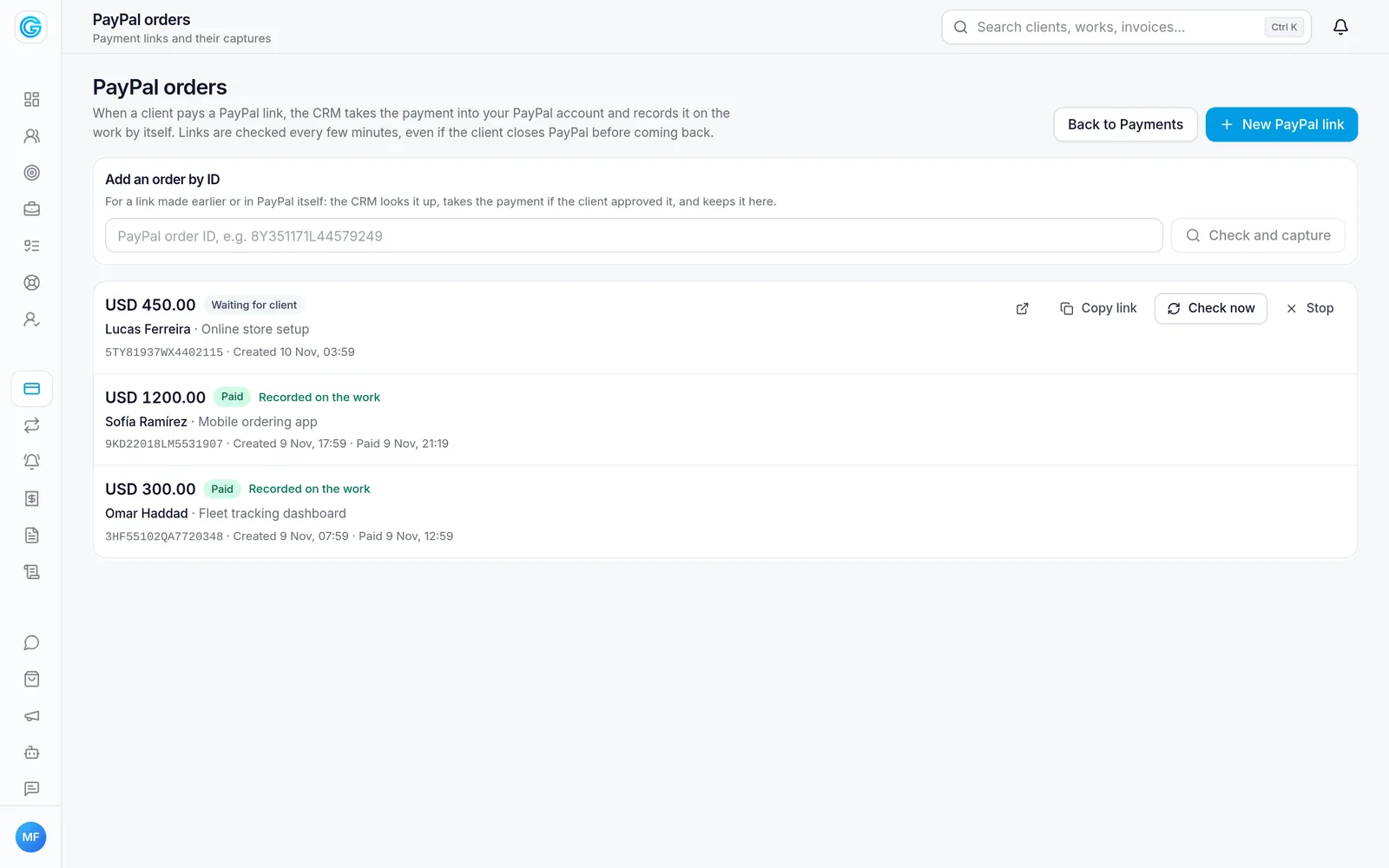
Send a PayPal payment link on WhatsApp; when the client pays, the payment is recorded on the work by itself. Payment plans, reminders and receipts included.
Work, tasks and support tickets
Track each job on a work board, assign tasks, open support tickets from a chat, and pin a chat with a reminder.
WhatsApp API instead of SMS
Send order updates, OTP codes and GPS alerts from your own software through your WhatsApp number. Systems that send SMS by calling a web address, such as GPS tracking platforms, switch with one URL, and webhooks bring new messages back to your server.
Safe bulk campaigns
Send offers to clients, leads or a pasted list of numbers. Messages go out one at a time in small batches, with daily limits and STOP replies handled, so WhatsApp doesn't block your number.
Android and iPhone app
Chats, clients, payments and notifications on your phone, for your whole team (Cloud + Mobile app plan).
How it works
- 1
Start your free trial
Sign up at wa.gennissi.com, choose your business type and get a ready CRM with sample data in a minute.
- 2
Connect WhatsApp
Scan a QR code to link your WhatsApp number. Your chats start coming into the CRM.
- 3
Add your team and data
Invite staff with their own roles, and add your clients, products and price lists.
- 4
Choose a plan
Keep going on Cloud from $9 a month, on your own domain, with hosting, backups and updates included.
Frequently asked questions
How much does Gennissi CRM cost?
Cloud is $9 a month or $99 a year. Cloud + Mobile app is $19 a month or $199 a year and adds the Android and iPhone app for your whole team. Every plan starts with a 7-day free trial.
Which businesses is it for?
Service and IT companies, shops and hardware stores, textile businesses, and agriculture or produce traders. Each business type gets its own menus, such as products and stock, buyer orders and job work, or farmers and produce buying.
Do I need the WhatsApp Business API?
No. You link your existing WhatsApp number by scanning a QR code, like WhatsApp Web.
Can my clients pay online?
Yes. Create a PayPal payment link for a work and send it on WhatsApp. When the client pays, the CRM takes the payment and records it on the work by itself.
Can I use my own domain?
Yes. Cloud plans run on your own domain, for example crm.yourcompany.com, with hosting, daily backups and updates included.
Can my own software send WhatsApp messages?
Yes. Make an API key in the CRM and send messages with a simple REST API, or point any system that sends SMS through a web address (GPS platforms, alarm panels, billing software) to the CRM instead. Webhooks send new messages and delivery results to your server. Documentation with code samples and a live test: wa.gennissi.com/api-docs.
Will WhatsApp block my number if I send bulk messages?
The CRM is built to avoid it: messages go out one by one with random pauses, in batches with rests, only during your sending hours and within hourly and daily limits. People who reply STOP are never messaged again, you can send only to people who have chatted with you, and a campaign pauses itself if messages start failing.
Which languages does it support?
English, Spanish, Portuguese and Arabic (right to left), and chats can be translated automatically.
Related services
Custom Software Development for Any Industry
Custom web applications, Android and iOS apps, APIs and integrations built for your business, in any industry, by the team behind the GPS Pro tracking apps.
White-Label GPS Tracking App for Android & iOS
Your own branded GPS tracking app for Android and iOS, connected to your Traccar server, from $99 one-time: live map, history, alerts and reports, published under your company name.
Ready to get started?
Tell me about your project and I'll reply with a plan and a quote.